

Three Steps. That’s It.
Three Steps. That’s It!
Takes three simple steps between the shot you have and the expression you want.
Try it on your footage
Upload an image or video, pick an expression, and preview the edit — free.Upload an image or video, pick an expression, adjust intensity, and preview the result without a reshoot.
Expression
Brighten the mood with a natural smile.
Intensity
70%

Fast & Easy
Ready in seconds

High Quality
Natural, realistic looks

Private
Your content remains secure
Everything you can do with DRAMA
Expressions, intensity, face selection, and emotion blending — control that stays on the take you already have.
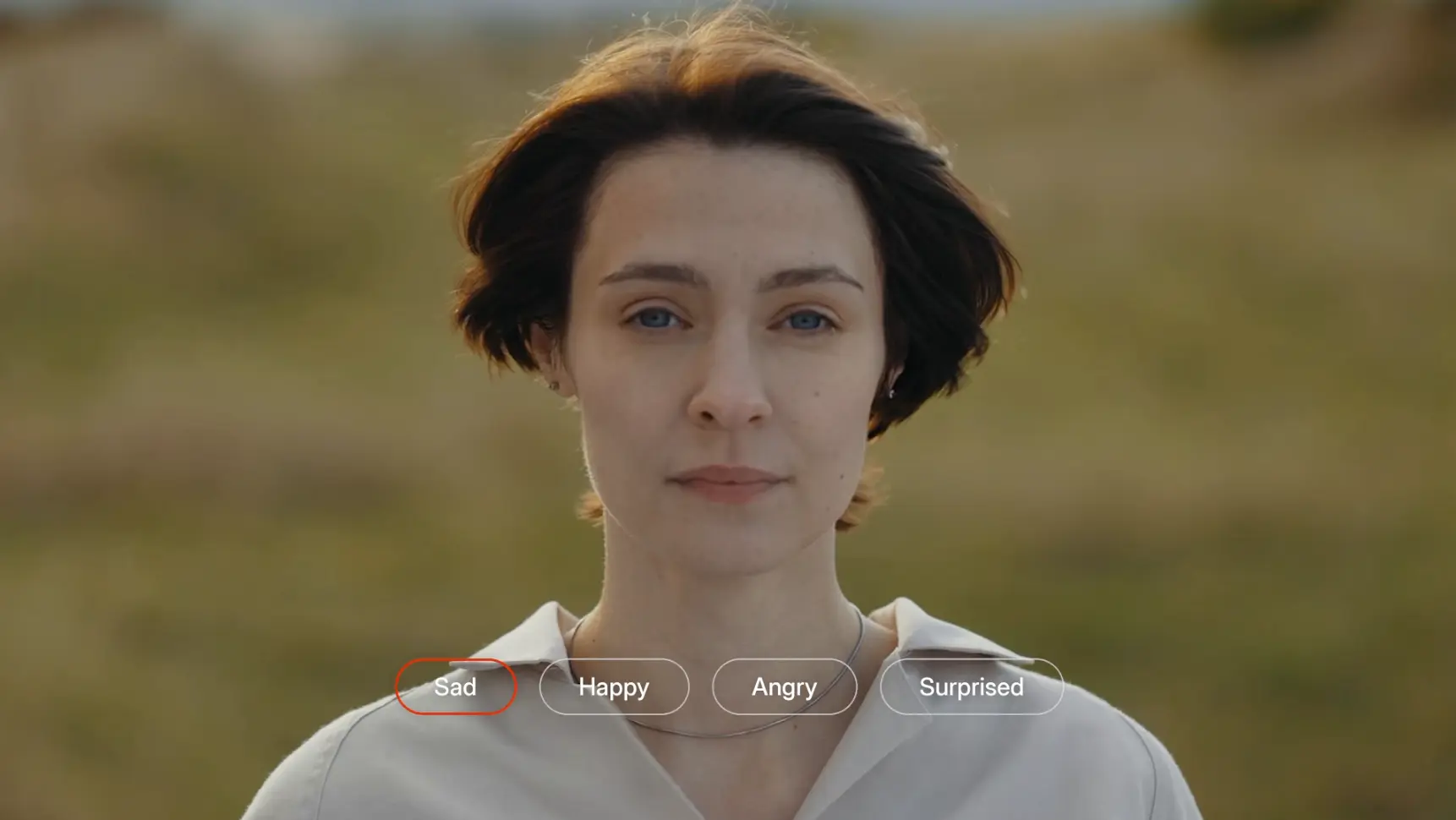
Same shot. New expression.
Drag to compare before and after — identity, lighting, and framing stay put.
Image comparison slider. Use arrow keys or drag to compare Before and After.

Before
After
Drag to Compare
Don’t Take Our Word for It
Hear from creators using DRAMA to edit facial expressions and create more expressive videos and images.

Aheli
CREATOR | Lifestyle, Fashion & Travel
‘As someone who creates content regularly, I’m always looking for tools that save time without compromising quality. This platform does exactly that. Fast, reliable, and genuinely useful for creators. It’s quickly become part of my content creation toolkit.’

Akshata
CREATOR | Fashion, Beauty & Lifestyle
‘As a creator, the ability to change an expression after filming has genuinely made my life so much easier. DRAMA saves me from reshoots and gives me control that I didn’t even know I needed.’

Arundhati Banerjee
Senior Inception Partner - South Asia, NVIDIA
‘I had the opportunity to try DRAMA firsthand, and I was impressed by how intuitive and reliable it is. The workflow is smooth, the results are high quality, and the technology makes everything feel effortless.’

Swaroopinii
ACTRESS
‘DRAMA has become an indispensable part of my content creation workflow, offering a level of creative control that feels like a genuine breakthrough.’

Payeli
CREATOR | LIFESTYLE
‘After moving away from India, I didn’t shoot myself for years, and over time I became camera-shy and out of practice. When I was ready to restart my journey, I searched for an AI tool that could transform my expressions and project confidence on screen.’
Make your next edit a keeper.
Watermark-free output. More room to refine.
For social content and everyday publishing
RecommendedCreator
Polish the clips you’re ready to post.
Yearly plan · save $48 over the year
Start Creator- Watermark-free 1080p
- 300 credits each month
- 5 minutes of processing
- Up to 30 ten-second versions*
- 5 Studio projects · 25 exports
For 4K and more versions
Pro
Refine more takes. Deliver in 4K.
Yearly plan · save $120 over the year
Start Pro- Watermark-free 4K
- 800 credits each month
- 12+ minutes of processing
- Up to 80 ten-second versions*
- 50 Studio projects · 250 exports
See SyncMonster in action
Try it on your own footage with a free preview.
40 free credits·Watermarked output
Frequently Asked Questions
How can I make someone smile in a photo/video?
+
To make someone smile, simply go to DRAMA, our AI Face Editor tool, select either the Happy or Excited emotion, whichever best suits the context, and dial the intensity to the level desired.
What does DRAMA’s free plan include?
+
The free plan includes 40 credits, giving you access to our core DRAMA expressions along with standard support.
How much does DRAMA cost?
+
DRAMA offers two paid plans to suit different usage requirements: the Creator plan at $20 and the Pro plan at $50. Each plan comes with its own features and credit allowances, allowing you to choose the option that best fits your creative needs. For enterprise-level requirements or customised solutions, you can always get in touch with our team to discuss your needs.
What if I need more credits than my plan includes?
+
If you need more credits than your plan includes, you can purchase additional credits through our top-up option. This allows you to continue editing without having to upgrade your subscription to a higher-tier plan.
Do unused credits roll over?
+
Yes. Any unused credits remaining in your account will roll over, so you can use them in subsequent billing cycles without losing them.
Does DRAMA offer API access?
+
Yes. DRAMA provides API access, allowing developers and businesses to integrate its facial expression editing capabilities into their own applications and workflows. Get in touch with our team to learn more about API access, integration options and usage.